AI Link in Bio: The 2026 Guide for Creators
By The Yerba Team · · Updated
Share this


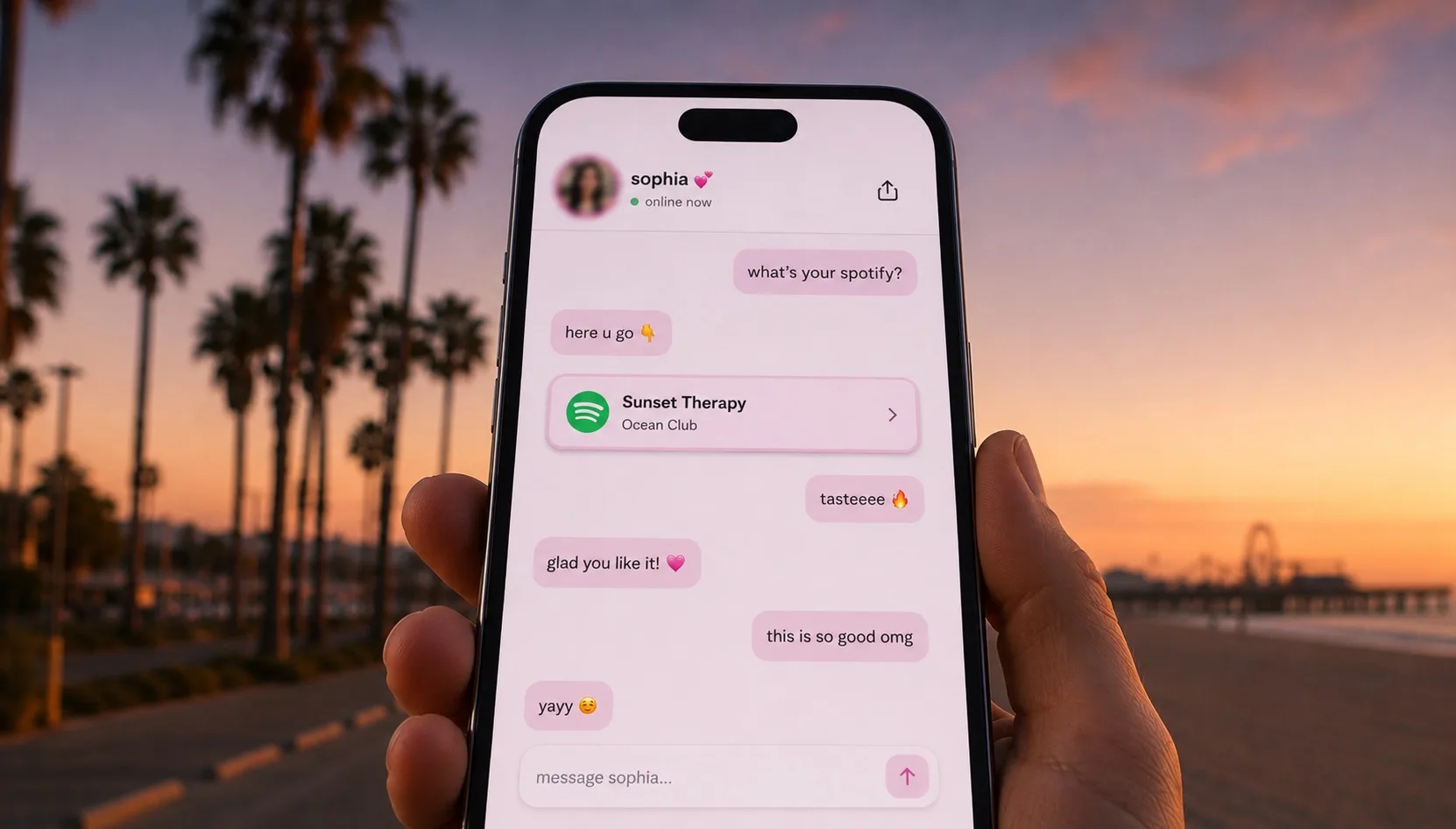
An AI link in bio is a single bio link that opens into a chat instead of a static list. A visitor taps it, lands on your page, and is greeted by a chat that answers in your voice, points each person to what they came for, and works every hour you are offline. It is the difference between handing someone a menu and actually talking to them.
This guide covers what an AI link in bio is, how it works, why a conversation tends to convert better than a wall of buttons, what it costs, and how to set one up in 2026.
What is an AI link in bio?
An AI link in bio is a link-in-bio page where the first thing a visitor meets is a conversation, not a column of links. Instead of scanning buttons and guessing, they ask for what they want, and the page answers in plain language, in your tone, and shares the right destination inside the chat.
The older format, popularized by tools like Linktree, Beacons, and Carrd, treats your most valuable real estate (the one tap in your bio) as a directory. An AI version treats it as a front desk: someone is always there, it knows your catalog, and it walks each visitor to the thing they actually came for.
The category is young but no longer fringe. Even the incumbents have started bolting chatbots onto their link pages, which is the clearest sign that a list of links was never the finish line.
Why is the link in bio changing in 2026?
The link in bio became the most valuable pixel a creator owns, and it has not kept up. Tens of millions of creators now route their entire audience through that one tap, but the tap still usually lands on a static list that has not really changed in a decade.
Two things shifted in 2026. Audiences got used to talking to capable AI everywhere else, so a wall of buttons started to feel dated. And the link-in-bio incumbents began adding chatbots to their own pages, which quietly conceded that the directory was never the destination.
The result is a category forming in real time: the AI link in bio, where the page answers, recommends, and routes instead of just listing. The creators moving first are the ones who treat that single tap as a conversation worth having.
How does an AI link in bio work?
You set it up once, and it runs on its own. You tell it who you are and what you offer, connect the links and profiles you already use, and swap the URL in your bio. From then on, every visitor gets a one-to-one conversation.
Under the hood, the chat is grounded in your details: your links, your shop, your socials, your usual answers. When a fan asks a question, it replies the way you would, then surfaces the matching link at the moment it is useful, instead of making the person hunt for it.
On Yerba, setup takes about two minutes, and the page behaves the same whether one person is chatting or a thousand are. You can see how it works end to end, or connect the tools you already use so it always points to the right place.
Why does a conversation convert better than a list of links?
Most visitors never get past the first screen. A link list asks every single person to do the work: read the labels, figure out which one matters, and commit to a tap before anything has been explained. Each of those steps is a place to lose someone, and most people simply leave.
A conversation removes the guesswork. The chat asks one question, listens, and routes the visitor straight to the thing they wanted, so there are fewer steps between curiosity and click. That is the whole argument for an AI link in bio: it does the choosing for the visitor instead of making the visitor choose.
A list is passive. A chat is active. A list waits to be read; a chat greets the visitor and moves first. A list is the same for everyone. A chat adapts to each person. A list shows your single most-recent priority at the top; a chat surfaces whatever this particular visitor is asking about.
It also never clocks out. The same warm, on-brand answer goes to the fan who shows up at 2 a.m. as to the one who shows up at noon, which is attention you could never give by hand.
Can an AI link in bio really sound like me?
Yes, and that is the part that matters most. A generic bot makes your page feel like a help desk. The point of an AI link in bio is that it talks the way you actually talk: your warmth, your humor, your level of formality, the way you would answer a regular.
You describe your vibe in a couple of sentences, and it carries that through every reply. Because it sounds like you, the page still feels personal even when you are asleep, and a visitor gets your full attention without you having to be online.
What can fans ask it?
Anything they would normally ask you in a DM, and it handles the repetitive ones so you do not have to. A few of the most common:
Where do I find your... It shares the right link in the chat, whether that is your shop, your latest drop, a booking page, or a profile, at the moment it is asked for.
What do you offer, and how much is it? It explains your options in your words and points to the place to get them, so visitors are not bouncing around looking for a price.
Can you recommend something for me? It nudges each person toward the thing that fits them, so a good recommendation lands like a perk and not a sales pitch.
Every one of those exchanges is a question you used to answer by hand, a hundred times a day, now handled the moment it comes up.
Do I keep my existing links, shop, and socials?
Yes. An AI link in bio does not throw away your links, it puts a smarter front end on them. Everything you already point people to (your store, your socials, your content, your booking or tip links) still lives there; the chat just decides which one to surface, and when.
So you are not rebuilding your whole setup. You connect what you already use, and the conversation becomes the layer that routes each visitor to the right destination instead of leaving them to scroll.
Is an AI link in bio safe?
A good one is built with guardrails, because a chat that speaks for you has to stay on script. It should stick to what you have told it, decline what it should not answer, and never invent offers or promises you did not make.
It stays in character. The chat answers as you, within the boundaries you set, and hands off anything outside them rather than guessing.
It protects your traffic. Yerba screens the outbound link redirect for bots, so automated scrapers do not burn your clicks or pollute your numbers, and the people in your analytics are real people.
It is transparent to you. You can read what visitors asked and see what converted, so it is something you supervise, not a black box. You can read more about our approach to trust and safety.
AI link in bio vs a regular link-in-bio tool
The honest difference is what happens after the tap. A regular tool shows a page; an AI link in bio starts a conversation. Here is how that plays out across the things creators care about.
A classic link page shows the same buttons to everyone and counts how many were clicked. An AI link in bio talks to each visitor, routes them to the right one, and then tells you what they wanted.
A classic link page caps your insight at pageviews and clicks. Yerba tracks views, chats, link unlocks, clicks, and even bot deflections per visitor, so you see the whole funnel, not just the top of it.
A classic link page is a static directory you maintain. An AI link in bio is a front desk that works the room for you, in your voice, around the clock.
If you are weighing a switch, you can compare the two side by side before you move your bio link.
How much does an AI link in bio cost?
Pricing should be simple, and on Yerba it is one flat rate: $14.99 a month, with a 7-day free trial and no credit card to start. There is no per-click fee and no metered usage, so a good month never turns into a surprise bill.
Just as important, Yerba takes 0% of what you earn. The tools you link to are yours, the money is yours, and the chat is there to send more of your traffic to the right place, not to skim it. You can see the full breakdown on the pricing page.
How do I set up my AI link in bio?
Setup is short, and you can do it in one sitting. Three steps:
Claim your handle. Pick your name, and you have a page at yerba.chat ready to make yours.
Set your vibe and connect your links. Describe how you talk in a couple of sentences and add the destinations you already use, so it knows your voice and your catalog.
Swap the link in your bio. Replace your old link with your Yerba page, and every visitor from then on gets a conversation instead of a list.
It takes about two minutes, it is free to try for 7 days, and you can claim your handle whenever you are ready.
Frequently asked questions
What is an AI link in bio?
An AI link in bio is a link-in-bio page that opens into a chat instead of a static list of links. A visitor taps your bio link, lands on the page, and is greeted by a chat that answers in the creator's voice and points each person to the right destination inside the conversation.
How does an AI link in bio work?
You describe who you are and what you offer, connect the links and profiles you already use, and swap the URL in your bio. The chat is grounded in those details, so when a fan asks a question it replies the way you would and surfaces the matching link at the moment it is useful. On Yerba it takes about two minutes to set up.
Can an AI link in bio replace a tool like Linktree?
Yes. An AI link in bio does the same job as a classic link-in-bio tool, then adds a conversation on top: instead of showing the same buttons to everyone, it talks to each visitor, routes them to the right link, and reports what they wanted. You keep your existing links, shop, and socials; the chat becomes the layer that routes people to them.
Does an AI link in bio increase conversions?
The aim is to convert more of every tap. A list of links makes each visitor read the labels, guess which one matters, and commit before anything is explained, and most people leave at one of those steps. A conversation removes the guesswork by asking what someone wants and sending them straight to it, so there are fewer steps between curiosity and click.
Is an AI link in bio safe?
A well-built one runs with guardrails. The chat should stay in character, stick to what you have told it, decline what it should not answer, and never invent offers you did not make. Yerba also screens the outbound link redirect for bots so scrapers do not burn your clicks, and it shows you what visitors asked so it is supervised, not a black box.
How much does an AI link in bio cost?
Yerba is a flat $14.99 a month with a 7-day free trial and no credit card to start. There is no per-click fee and no metered usage, and Yerba takes 0% of what you earn.
Still have questions? If there is anything we did not cover here, visit our Help & Support Center and a real person will help you out.